
Perfect recall
Apps can remember where you left off. So when you return to the app they are in the same place.
Background audio
You can listen to audio from compatible third-party apps while checking email, surfing the web, playing games, and performing other tasks.
Receive VoIP calls
This is a big deal. VoIP apps like Skype will (eventually) let you receive calls even while you have other apps running. This is a big deal -- unfortunately Skype, which demonstrated the feature at an Apple keynote earlier this year, hasn’t yet completed work on a multitasking-enabled version of its iPhone app. Which is poor.
Always on GPS
Apps that use GPS can continue to run in the background -- good for networking and driving.
Background completion
This isn’t perfect (yet) as apps can’t actually access the network in order to fetch data, but Apple has at least enabled apps to complete tasks they are engaged in, such as uploading images to
Flickr
. This means you can switch to another app without interrupting the task. Which is cool.
Receive push and local notifications.
Third-party apps and services can send alerts and messages directly to your phone. This isn’t new, but is steadily being extended to all kinds of apps. Apple's official apps, such as Safari and Mail, are already multitasking compatible, so you can get an idea of what to expect. While you wait for the non-Apple apps you already use to be enabled for multitasking, here’s two you can play with today.
Pandora Radio
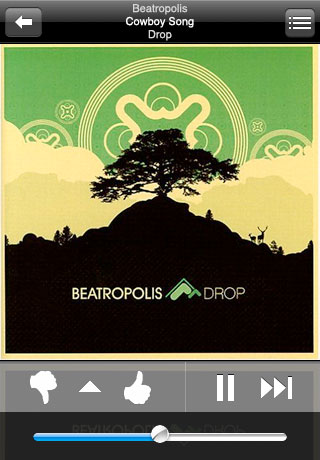
This is an app to get into right away. With the latest Pandora Radio update you can create personalized radio, streaming music to your ears via your iPhone or iPad. All you need to do is tell Pandora about a favorite artists, song or composers and the app will create a "station" that plays their music and more music like it. The introduction of multi-tasking support within the app means you’ll be able to continue listening to the music while working within another app. This could be a must-have app.
Dropbox
This fab app is certainly the easiest way to sync and share your files online and across computers or devices. Better yet, it enables you to export documents from your Dropbox into third-party iPad apps. This seems likely to be a boon for those trying to do productive work on their Apple device.
App features include:
- Access your Dropbox on the go.
- View documents, spreadsheets, presentations, videos, and photos.
- Export files to other iPad apps.
- "Favorite" files to download them for fast, offline viewing.
- Use your iPhone camera to take photos and videos and save them directly to your Dropbox.
- Share and send files via email, text message, or copy and paste links to use in another app.

Swipe your way through photo galleries
This app requires a Dropbox account which is free to set-up.
Go grab it.
We'd like to see more apps equipped with multitasking support appear, and we do expect a tidal wave of updated apps to reach the App Store now iOS 4 is in the public domain. Perhaps you've come across a multitasking-ready app? If you have, then do let us know in comments below.
About the Author

Jon Edwards enjoys The Mighty Boosh, Can, John Lydon and Roller Derby.