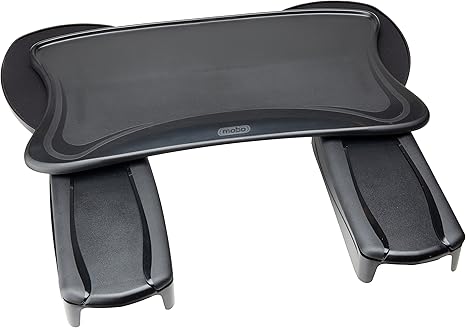
If you spend long hours at your computer, you know the struggle: leaning forward to reach your keyboard and mouse can wreak havoc on your posture. What starts as minor discomfort can quickly escalate into chronic back pain, neck strain, and repetitive stress injuries. The solution isn’t just a better chair—it’s an ergonomic setup that brings your keyboard and mouse to you, not the other way around.
The CAPOT Ergonomic Adjustable Office Chair with Backrest and Headrest represents a significant evolution in ergonomic seating solutions. Unlike traditional chair-mounted keyboard trays that can feel flimsy or restrictive, this chair integrates comfort, adjustability, and functionality into a single, well-designed package. Whether you’re a remote worker, a gamer, or someone who simply values proper posture, this chair addresses the fundamental problem of maintaining neutral body positioning throughout your workday.
Table of Contents 🔗
Why Ergonomic Seating Matters
According to the Occupational Safety and Health Administration (OSHA), musculoskeletal disorders account for a significant portion of workplace injuries, with poor ergonomics being a primary contributing factor. The CDC reports that workers who spend extended periods in non-ergonomic positions face increased risks of developing chronic conditions like carpal tunnel syndrome, lower back pain, and cervical strain.
The key to preventing these issues lies in maintaining what ergonomists call “neutral posture”—a position where your joints are aligned naturally, reducing stress on muscles and ligaments. This means your feet should rest flat on the floor, your knees should be at a 90-degree angle, your back should be supported, and most importantly, your arms should rest comfortably at your sides with your keyboard and mouse within easy reach without leaning forward.
CAPOT Ergonomic Chair: Key Features
The CAPOT Ergonomic Adjustable Office Chair stands out with its comprehensive approach to comfort and functionality:
- Adjustable Backrest and Headrest: Multiple adjustment points allow you to customize the chair to your exact body dimensions, ensuring proper lumbar and cervical support throughout extended work sessions.
- Integrated Keyboard and Mouse Support: The chair features built-in or attachable surfaces designed to keep your keyboard and mouse at the optimal height and distance, eliminating the need to lean forward.
- 360-Degree Swivel and Smooth Casters: Easy mobility allows you to move between tasks without straining or awkward repositioning.
- High-Quality Materials: Durable construction with breathable mesh or premium upholstery ensures the chair maintains its comfort and appearance over years of use.
- Weight Capacity and Stability: Engineered to support various body types while maintaining stability during active use.
- Easy Assembly: Designed for straightforward setup, allowing you to start using your ergonomic solution quickly.
CAPOT Ergonomic Adjustable Office Chair with Backrest and Headrest | $199.99

| Details | Information |
|---|---|
| Price | $199.99 |
| Discount | – 11% |
| Rating on Amazon | 4.3 out of 5 stars – Out of 1,157 Reviews reviews. |
| Brand | CAPOT |
| Buy Now | Buy on Amazon |
The CAPOT Ergonomic Adjustable Office Chair represents a thoughtful solution for anyone serious about maintaining proper posture during long computer sessions. This chair goes beyond basic seating by incorporating adjustable backrest and headrest features that allow you to customize support for your entire upper body.
Key Specifications: Adjustable backrest with multiple height positions, integrated headrest for cervical support, 360-degree swivel base, smooth-rolling casters, high-weight capacity, breathable mesh or premium upholstery options, easy assembly with included tools.
Why It’s a Top Pick: This chair addresses the core ergonomic challenge of keeping your keyboard and mouse accessible without compromising your posture. The adjustable backrest ensures proper lumbar support, while the headrest prevents neck strain during extended use. The integrated design means you don’t need separate keyboard trays or awkward desk modifications—everything works together seamlessly.
Cons: As with any ergonomic chair, individual comfort varies based on body type and personal preferences. Some users may find the adjustment process requires initial fine-tuning to achieve optimal positioning. The chair’s footprint may be larger than standard office chairs, requiring adequate space in your workspace.
What Makes This Chair Different
Traditional office chairs force you to adapt to them. The CAPOT Ergonomic Chair adapts to you. The adjustable backrest isn’t just about comfort—it’s about maintaining the natural curve of your spine, which reduces pressure on your intervertebral discs and prevents the forward head posture that leads to neck pain.
The integrated keyboard and mouse support eliminates one of the most common ergonomic failures: reaching forward. When your arms extend forward to reach your keyboard, you’re placing strain on your shoulders, upper back, and neck. By bringing the input devices to you at the correct height and angle, this chair helps maintain the ideal 90-degree elbow position that ergonomists recommend.
Who Should Consider This Chair
This chair is ideal for:
- Remote Workers: If you’re spending 8+ hours daily at your home office, proper ergonomics isn’t optional—it’s essential for long-term health and productivity.
- Gamers: Extended gaming sessions demand comfort and support. This chair helps prevent the repetitive strain injuries common among serious gamers.
- Content Creators: Video editors, graphic designers, and writers who spend hours at their computers will appreciate the comprehensive support this chair provides.
- Anyone with Existing Back or Neck Issues: If you’re already experiencing discomfort, this chair can help prevent further deterioration and may provide relief through proper positioning.
- People Seeking Long-Term Solutions: Rather than quick fixes that address symptoms, this chair addresses the root cause of posture-related pain.
Setting Up Your Ergonomic Workspace
While a quality ergonomic chair is crucial, it’s just one part of a complete ergonomic setup. Here’s how to maximize your investment:
- Monitor Height: Your monitor should be positioned so the top of the screen is at or slightly below eye level when you’re sitting upright.
- Keyboard Position: With this chair, your keyboard should be positioned so your forearms are parallel to the floor and your wrists remain straight.
- Mouse Placement: Keep your mouse close to your keyboard at the same height to avoid reaching or twisting.
- Foot Support: Ensure your feet rest flat on the floor. If needed, use a footrest to maintain proper leg positioning.
- Regular Breaks: Even the best ergonomic setup requires movement. Follow the 20-20-20 rule: every 20 minutes, look at something 20 feet away for 20 seconds, and take short breaks to stand and stretch.
The Bottom Line
Investing in proper ergonomics isn’t a luxury—it’s a necessity for anyone who spends significant time at a computer. The CAPOT Ergonomic Adjustable Office Chair with Backrest and Headrest offers a comprehensive solution that addresses the fundamental problem of maintaining neutral posture while keeping your keyboard and mouse within comfortable reach.
Unlike temporary fixes or band-aid solutions, this chair provides a foundation for long-term health and comfort. The initial investment pays dividends in reduced pain, increased productivity, and prevention of chronic conditions that can develop from poor ergonomics.
Remember: your body is your most important tool. Taking care of it with proper ergonomic support isn’t just about comfort—it’s about maintaining your ability to work effectively for years to come.
Last update on 2026-03-19 at 16:46 / Affiliate links / Images from Amazon Product Advertising API