



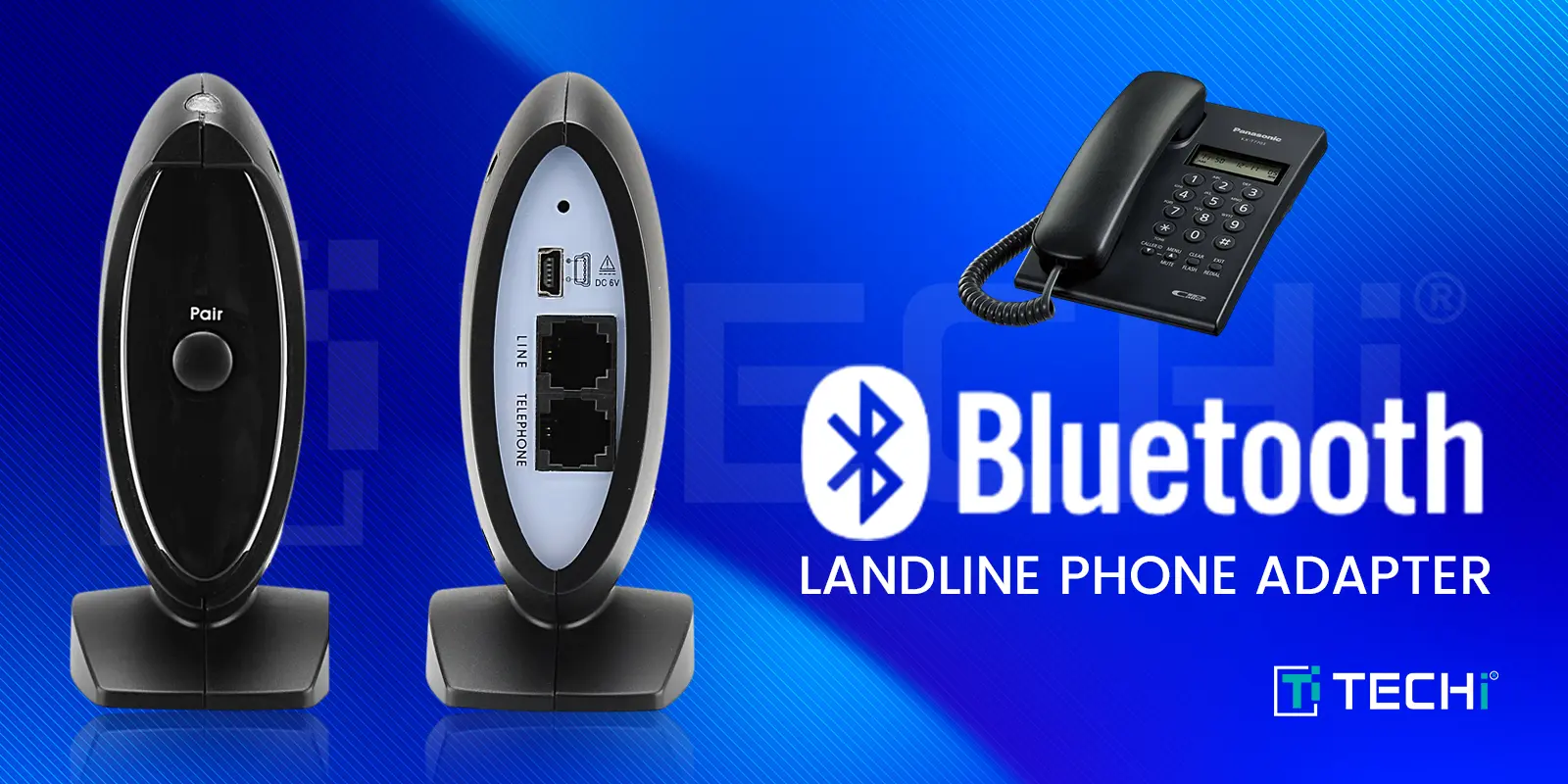
Most gadgets sold as a "Bluetooth adapter for landline" do nothing for a landline. A USB dongle adds Bluetooth to a computer. A 3.5mm transmitter adds it to a TV or an airplane seat. Neither has the RJ11 jack a home phone plugs into, so neither will ring your kitchen phone or let you answer it wirelessly. The products that actually bridge a landline fall into two groups: gateways that route your mobile calls through the corded or cordless phones you already own, and headset bases that connect a wireless headset to a desk phone's handset port. Here are five that do the job, plus one narrow pick for office IP phones.
1. Cell2Jack
Best for: one cellphone and any old phone, including rotary
Cell2Jack is a small box with a phone jack on one side and a Bluetooth radio inside. Plug a corded or cordless home phone into it, pair it with your cellphone, and the home phone rings when your mobile rings. Pick up and the call runs over your cellular plan. The maker's own framing is that it treats your home telephone as a wireless headset for the cellphone, and the manual keeps setup to two steps: "Connect your home phone to the Cell2Jack device using a standard telephone cable," then find Cell2Jack in the phone's Bluetooth list.
It needs no landline service at all. The pitch is "No more paying for a landline – just use your cell phone plan," and the listing says it works with corded, cordless, rotary and big-button senior phones. There is a 5V output on the box for charging the mobile while it sits nearby.
The catch: the manual gives no Bluetooth version or range figure, so treat this as a same-room device. The company's advice is to park the cellphone wherever reception is strongest and take calls from the home phone. It handles one cellphone; if the household has several, look at the next pick.
2. Xtreme Technologies XLink BTTN
Best for: several mobiles plus a landline you want to keep
Xtreme Technologies has sold the XLink line for years, and the BTTN is the version with a landline input. It pairs up to three cellphones and has a telephone line input for an active landline or VoIP adapter, so every handset plugged into the back of the box can pick up any of the four sources. The company puts it plainly: "All four telephone sources can now be accessed from regular telephones through the XLink." When any paired cellphone rings, the house phones ring.
It supports antique and rotary phones and takes software updates over a USB port. If you only have one mobile and no landline, the cheaper single-cell XLink BT HD is the company's first Bluetooth 5.0 model, with wideband audio, echo cancellation and noise reduction, and it supports both tone and rotary-pulse dialing.
The catch: this is a long-running niche product sold through Amazon and Walmart rather than big-box stores, and stock comes and goes. Buy from a seller with a return policy.
3. Panasonic Link2Cell KX-TGF57x series
Best for: replacing the whole home phone system
If your cordless phones are due for replacement anyway, buying a system with Bluetooth built in is simpler than adding a box. Panasonic's Link2Cell KX-TGF57x pairs with up to two cellphones, and every handset in the house can make and take mobile calls; the handsets also alert you to incoming texts on the paired phones. It ships as a 3-handset (KX-TGF573S) or 5-handset (KX-TGF575S) system, expandable to six, and the one-touch call block stores up to 250 numbers. Voice Assist reaches Siri or Google on the paired phone from a handset.
It works with a landline or without one. Without, you switch on Panasonic's cellular line only mode, and the company's support page is specific about the wiring: "If you turn on the 'Cell line only mode', disconnect the telephone line cord from the base unit." After that, handsets dial out on the cell line with the ordinary Talk button instead of the CELL key.
The catch: in cellular-only mode Panasonic says the landline features, the built-in answering system and voicemail features are all unavailable, so anyone dropping their landline loses the answering machine they just paid for. Keep the landline connected if you want it.
4. VTech DS6771-3 Connect to Cell
Best for: cell plus landline with a headset in the box
VTech's DS6771-3 is the same idea as the Panasonic with a different bundle: two cordless handsets and a DECT cordless headset, so one person can walk the house on a call hands-free. Connect to Cell pairs up to two cellphones (the base has CELL 1 and CELL 2 indicators), and VTech's virtual multi-line operation lets a cellular call and a landline call run at the same time on different handsets. The system expands to 12 devices, including two cordless headsets, off a single phone jack.
The answering system runs on the landline side and stores up to 99 messages, roughly 23 minutes in total according to the manual. Handsets can also reach Siri or Google on the paired phone.
The catch: the manual states that Bluetooth between the base and a paired cellphone "operates within a short range (a maximum of approximately 15 feet)," and only one cellphone can be on a call at a time. The cellphone has to live near the base, not in a coat pocket upstairs.
5. Poly Voyager 5200 Office
Best for: a wireless headset on a work desk phone
The four picks above bring mobile calls to a landline. This one solves the other problem: answering a desk phone without a cord. Poly's Voyager 5200 Office is a Bluetooth earpiece plus a charging base, and the base wires into the desk phone with a telephone interface cable. Phones with a dedicated headset port take the cable directly. Phones without one use the included junction box: unplug the handset coil cord from the phone, plug it into the junction box, and run the interface cable into the now-open handset port. That trick works on nearly any office phone with a detachable handset.
Out of the box you still press the phone's headset or speaker button to pick up. For true remote answer, Poly sells an EHS cable that "electronically and automatically answers/ends a desk phone call," or the HL10 lifter, which physically lifts the handset off the cradle. The two-way base version also plugs into a computer over USB, and the headset pairs to a mobile phone on its own, so one earpiece covers all three. Retailer specs put talk time at up to 7 hours and range at up to 250 feet from the base, on Bluetooth 5.0; a full charge takes about 90 minutes.
The catch: this is a business product at business prices, and the base does nothing for a cordless home phone. Confirm the EHS cable matches your phone brand before ordering it.
If your desk phone is a Yealink: the BT51 dongle
One exception to the "USB dongles don't help" rule. Some IP desk phones have a USB port that accepts the manufacturer's own Bluetooth dongle. Yealink's BT51 plugs into the SIP-T42S, T46S, T48S, T42U, T43U, T46U, T48U and T53 (firmware version 82 or later) and lets a Bluetooth headset answer and end calls on the phone. It runs Bluetooth 5.0 with a stated range of 100 feet, and comes in USB-A and USB-C versions. It does nothing on an analog phone or any other brand's IP phone.
How to choose
Dropping landline service but keeping the phones: Cell2Jack for one mobile, XLink BT HD for a better radio, XLink BTTN for up to three mobiles.
Keeping the landline and adding mobiles: XLink BTTN if you like your current phones; Panasonic Link2Cell or VTech Connect to Cell if you want new handsets with it built in.
Hands-free at a desk phone: Poly Voyager 5200 Office for almost any phone with a handset port; Yealink BT51 if the phone is one of the listed Yealink models.
Two things to check before you buy. First, range: every gateway here keeps the cellphone within a few metres of the base, and VTech quotes about 15 feet, so the mobile has to stay put. Second, emergencies: with no landline connected, a call from the home phone, including 911, goes out over the cellphone, so it needs to be charged, in range and paired at the moment you need it.
Disclaimer
This article is for informational purposes only and does not constitute financial, investment, tax, or legal advice. Market data, tax rules, and prices can change after the article date. TECHi and its authors may hold positions in securities or digital assets mentioned. Always conduct your own research and consult a licensed financial, tax, or legal professional before making decisions.
About the Author

Toby is a Mac nerd, a hardware nerd and a web nerd, rolled into one.



Comments